
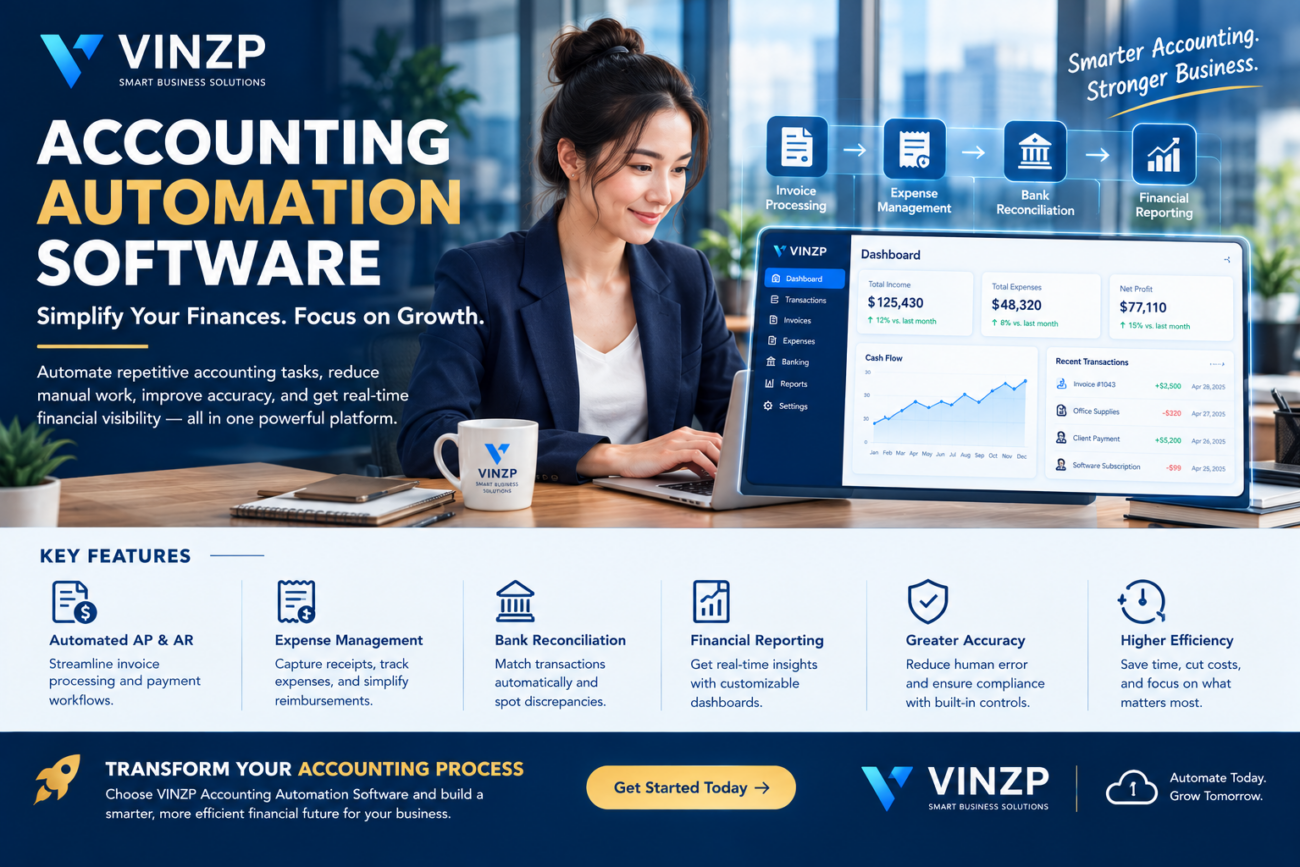
Accounting Automation Software for Modern Businesses
Accounting teams manage a constant flow of financial information, including invoices, payments, expenses, transactions, reconciliations, and financial reports. As a business grows, handling these activities manually can consume valuable time and increase the possibility of data-entry mistakes.
Modern accounting technology is changing how businesses manage financial operations. Accounting automation software can streamline repetitive processes, connect financial data, reduce manual entry, and provide teams with faster access to important information.
Rather than replacing financial professionals, automation can help accounting teams spend less time on repetitive administrative work and more time analyzing financial performance, managing risk, and supporting business decisions.
What Is Accounting Automation Software?
Accounting automation software is a digital solution designed to automate repetitive financial and accounting processes. It can connect transaction data with workflows that previously required significant manual intervention.
Depending on the platform, automation capabilities may include:
- Invoice processing
- Expense management
- Accounts payable workflows
- Accounts receivable management
- Bank reconciliation
- Payment processing
- Financial reporting
- Receipt and document capture
- Approval workflows
- Recurring transaction management
Some platforms also use artificial intelligence and machine learning to categorize transactions, extract information from financial documents, identify unusual activity, and assist accounting professionals with routine tasks.
Why Businesses Are Automating Accounting
Manual accounting processes can become increasingly difficult to manage when transaction volumes increase. Employees may need to enter information repeatedly, reconcile data between systems, and manually prepare reports.
Automation can create more consistent workflows while reducing the amount of repetitive work performed by accounting teams.
Reduced Manual Data Entry
Data entry is one of the most repetitive activities in accounting. Automation tools can import information from connected financial systems, invoices, receipts, and other sources.
Reducing manual entry can help employees spend more time reviewing financial information instead of copying data between applications.
Faster Invoice Processing
Accounts payable teams often process large numbers of supplier invoices. Automated invoice workflows can capture invoice information, route documents for approval, and track payment status.
Some systems use optical character recognition and AI-assisted extraction to identify information such as supplier names, invoice numbers, dates, tax amounts, and totals.
More Consistent Processes
Manual processes can vary from one employee to another. Automated workflows can apply predefined rules consistently across transactions.
This can be especially useful for organizations with multiple departments, locations, or employees involved in financial approvals.
Key Features to Look For
Not every accounting platform offers the same level of automation. Businesses should evaluate features according to their transaction volume, financial structure, industry requirements, and existing technology environment.
Automated Accounts Payable
Accounts payable automation can help businesses manage supplier invoices from receipt through approval and payment.
A typical workflow may capture an invoice, identify relevant information, check approval requirements, route it to the appropriate employee, and record the transaction after approval.
Accounts Receivable Automation
Accounts receivable processes can also benefit from automation. Systems may generate invoices, send payment reminders, track outstanding balances, and update payment records.
Faster access to receivables information can help businesses monitor customer balances and improve visibility into incoming cash.
Bank Reconciliation
Bank reconciliation compares financial records with bank transactions to identify differences and ensure records are accurate.
Automation can match transactions according to predefined rules and highlight items that require human review.
Expense Management
Employees generate expenses through travel, supplies, software subscriptions, and other business activities. Automated expense workflows can help capture receipts, categorize expenses, route claims for approval, and maintain records.
Financial Reporting
Financial reporting provides managers with information needed to evaluate business performance. Automated systems can make reporting more efficient by pulling information from connected financial records.
Depending on the platform, dashboards may display revenue, expenses, cash flow, receivables, payables, profitability, and other financial indicators.
How AI Supports Accounting Automation
Artificial intelligence can expand the capabilities of traditional accounting automation. Instead of simply following fixed rules, AI-powered systems can analyze financial documents and transaction patterns to assist with more complex tasks.
Potential AI-assisted capabilities include:
- Invoice data extraction
- Transaction categorization
- Duplicate invoice detection
- Financial document summarization
- Anomaly identification
- Natural-language financial queries
- Automated reconciliation suggestions
AI-generated recommendations should still be reviewed appropriately, especially when financial information affects tax reporting, regulatory obligations, or major business decisions.
Accounting Automation vs. Manual Accounting
| Process | Manual Approach | Automated Approach |
|---|---|---|
| Data entry | Mostly manual | Automated imports and extraction |
| Invoice processing | Manual review and entry | Digital capture and workflow routing |
| Reconciliation | Manual matching | Automated matching with exceptions |
| Expense reporting | Forms and spreadsheets | Digital submission and approval |
| Payment reminders | Manual follow-up | Automated notifications |
| Reporting | Manual compilation | Connected dashboards and reports |
Automation does not mean that every accounting activity should happen without human involvement. Financial professionals remain important for reviewing exceptions, interpreting results, maintaining controls, and making informed decisions.
Benefits for Growing Businesses
Accounting automation can become particularly valuable as organizations grow. More customers, suppliers, employees, and transactions naturally create more financial administration.
Improved Efficiency
Automating repetitive tasks can reduce the amount of time employees spend performing routine financial administration. This can help accounting teams handle increasing workloads without relying entirely on additional manual effort.
Better Financial Visibility
Connected financial information can provide managers with faster access to important business metrics. Instead of waiting for manually prepared reports, decision-makers may be able to view updated financial information through dashboards and reporting tools.
Reduced Processing Errors
Manual data entry can introduce mistakes. Automation can reduce certain types of errors by importing information directly from connected sources and applying standardized rules.
Automation does not eliminate financial risk entirely, however. Poor configuration, incorrect source data, and inappropriate workflows can still produce inaccurate results.
Scalable Operations
A business that doubles its transaction volume may find that manual accounting processes become increasingly difficult to maintain. Automated workflows can provide a more scalable foundation for financial operations.
Security and Financial Data Protection
Accounting systems contain highly sensitive information. Financial records may include transaction histories, supplier information, customer data, payment details, and confidential business information.
Businesses should therefore evaluate security before adopting an automation platform.
Important considerations include:
- Role-based access controls
- Multi-factor authentication
- Encryption
- Audit logs
- Data backups
- Permission management
- Fraud monitoring
- Data retention policies
- Third-party integrations
Organizations should also establish appropriate separation of duties. For example, the person entering a transaction may not necessarily be the same person responsible for approving a payment.
Integrating Accounting With Other Business Systems
Accounting rarely operates independently from the rest of a business. Financial information is connected to sales, purchasing, inventory, payroll, customer management, and operations.
Integrations can help reduce duplicate data entry by allowing information to move between systems.
For example, a sales transaction could potentially flow from an ecommerce or CRM platform into the accounting environment. A purchase order could connect procurement activity with accounts payable, while inventory changes could influence financial records.
This connected approach can create a more comprehensive view of business operations.
How to Choose the Right Accounting Automation Platform
The best platform depends on the organization’s financial processes, transaction volume, industry, budget, and existing technology stack.
Identify Repetitive Tasks
Start by documenting the accounting processes that consume the most time. Look for activities involving repeated data entry, manual approvals, spreadsheet reconciliation, or recurring communication.
Evaluate Integrations
Check whether the platform integrates with existing banking, payroll, ecommerce, CRM, ERP, payment, and expense management systems.
A platform with strong integrations may provide greater value than a solution with many features that operate in isolation.
Review Automation Controls
Businesses should understand how automated decisions are configured and how exceptions are handled. Financial workflows should provide appropriate opportunities for human review.
Consider Scalability
Think beyond current transaction volumes. The platform should be capable of supporting additional customers, suppliers, employees, locations, and financial complexity as the business grows.
Calculate Total Cost
Subscription fees are only one component of implementation costs. Businesses should also consider setup, migration, integrations, training, support, additional users, and advanced automation features.
Companies managing complex financial planning may also benefit from reviewing private investment management services when broader financial management extends beyond day-to-day business accounting.
Common Accounting Automation Mistakes
Automating Poor Processes
Automation does not automatically fix an inefficient process. Businesses should review and simplify workflows before automating them.
Ignoring Data Quality
Incorrect or inconsistent financial data can undermine automated systems. Organizations should establish procedures for maintaining accurate source information.
Removing Human Review Entirely
Some financial transactions require judgment and oversight. Businesses should define which activities can be automated and which require employee approval or review.
Underestimating Training
Employees need to understand how automated workflows operate and what they should do when an exception occurs. Proper training can reduce confusion and improve adoption.
The Future of Automated Accounting
Accounting technology is moving toward increasingly connected and intelligent financial workflows. Cloud platforms, artificial intelligence, real-time reporting, and automated reconciliation are making financial information more accessible to businesses.
Future systems may increasingly allow accounting professionals to interact with financial data using natural-language questions, receive automated explanations of unusual transactions, and identify potential issues before they become larger problems.
Despite these advances, professional judgment will remain important. Financial information requires context, and organizations must maintain appropriate controls around automated processes.
Frequently Asked Questions
What does accounting automation software do?
It automates repetitive accounting tasks such as invoice processing, expense management, reconciliation, payment workflows, transaction categorization, and financial reporting.
Is accounting automation suitable for small businesses?
Yes. Small businesses can benefit when manual bookkeeping and financial administration begin consuming significant time. The right solution depends on transaction volume, business complexity, budget, and existing systems.
Can accounting software automatically process invoices?
Many modern platforms can capture invoice information and route invoices through approval workflows. Some also use OCR and AI-assisted data extraction to reduce manual entry.
Does accounting automation eliminate accountants?
No. Automation primarily reduces repetitive administrative work. Accounting professionals remain important for reviewing financial information, handling exceptions, maintaining controls, interpreting results, and supporting business decisions.
Is automated accounting secure?
Security depends on the software provider and how the system is configured. Businesses should evaluate authentication, access controls, encryption, audit logs, backups, integrations, and data governance.
Conclusion
Accounting automation software can help businesses modernize financial operations by reducing repetitive work, connecting financial information, improving reporting, and creating more consistent workflows.
The greatest value comes from using automation strategically. Businesses should identify inefficient processes, improve data quality, establish appropriate controls, and select technology that integrates with the systems they already use.
As organizations continue to adopt cloud and AI-powered business technologies, automated accounting can become an important part of a more efficient, connected, and data-driven financial operation.
Modernize Your Financial Operations
Ready to reduce repetitive accounting work? Evaluate your current financial workflows, identify automation opportunities, and choose technology that gives your team better efficiency and financial visibility.
