
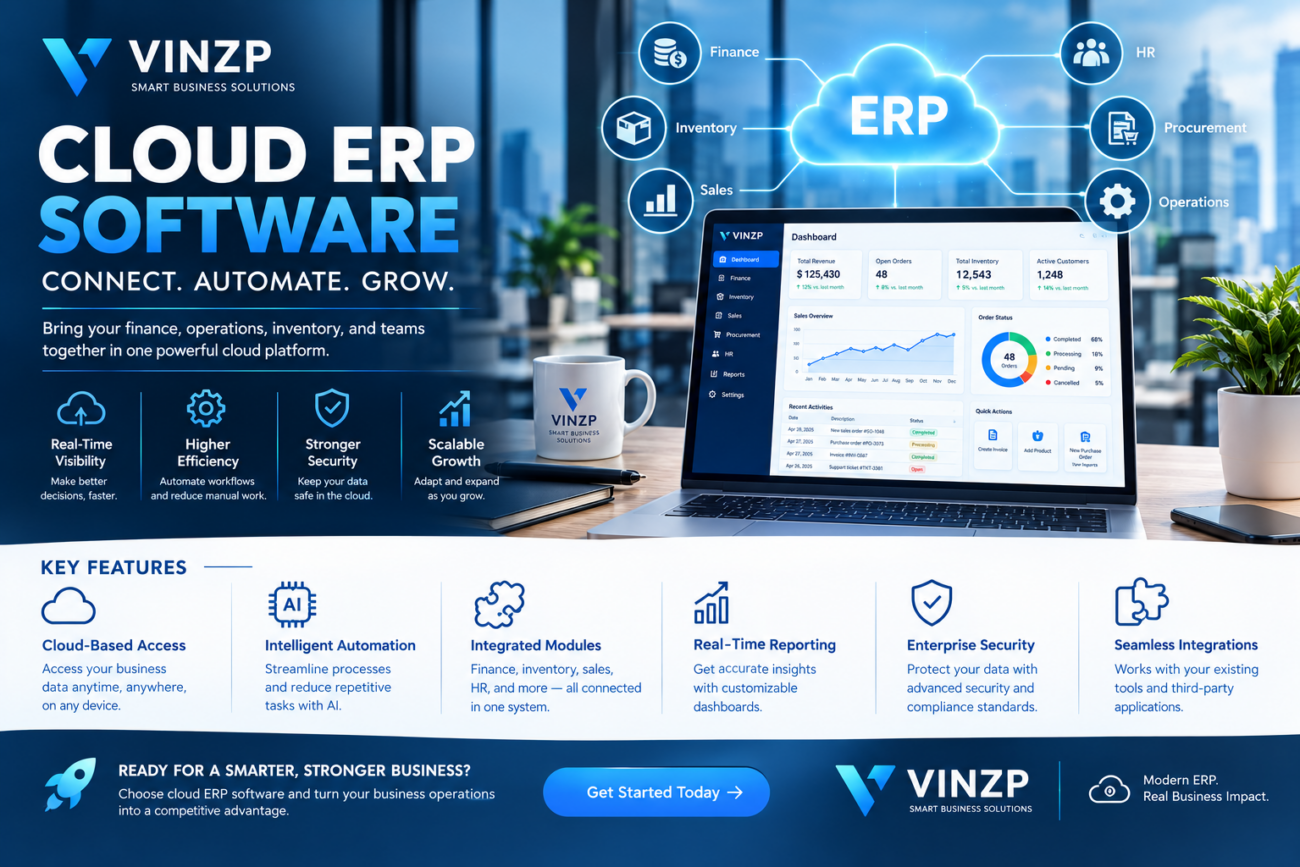
Cloud ERP Software for Modern Businesses
Managing finance, inventory, purchasing, sales, employees, and daily operations across separate systems can create unnecessary complexity. As businesses grow, disconnected applications often make it harder to maintain accurate information and understand what is happening across the organization. Cloud ERP software provides a centralized approach by connecting core business processes through a single digital platform. Instead of relying on multiple spreadsheets and isolated applications, companies can bring essential operational data into one environment that employees can access according to their roles. Modern enterprise resource planning platforms can also provide automation, analytics, integrations, and real-time reporting. These capabilities can help businesses improve operational visibility while creating a scalable technology foundation for future growth.What Is Cloud ERP Software?
Cloud ERP software is an enterprise resource planning system hosted on cloud infrastructure rather than being maintained entirely on local business servers. It connects important business functions and allows authorized users to access information through internet-connected devices. Depending on the provider and business requirements, an ERP platform may include modules for:- Accounting and financial management
- Inventory management
- Procurement and purchasing
- Sales and order management
- Supply chain operations
- Human resources
- Customer relationship management
- Project management
- Business intelligence and reporting
Why Businesses Are Moving to Cloud-Based ERP
Traditional business systems can become difficult to maintain as organizations expand. Multiple databases may contain different versions of the same information, while employees may depend on spreadsheets to bridge gaps between applications. A cloud-based ERP environment can provide a more centralized structure for managing business operations.Centralized Business Data
When financial, inventory, sales, and operational information exists in connected systems, employees can work from more consistent data. This can reduce the need to manually reconcile information between separate applications. Centralized information can also give managers a broader view of business performance without waiting for individual departments to compile reports.Anywhere Access
Because cloud applications are hosted remotely, authorized employees can generally access the system from different locations and devices. This can be particularly useful for organizations with distributed teams, multiple offices, remote employees, or traveling managers. Access policies and authentication controls should still be configured carefully to protect sensitive business information.Reduced Infrastructure Management
With a cloud deployment model, businesses typically do not need to maintain all of the physical server infrastructure associated with traditional on-premises ERP environments. Depending on the provider, infrastructure maintenance, updates, backups, and certain security responsibilities may be handled as part of the service. However, organizations should always understand exactly which responsibilities remain with the customer.Key Features to Look For
Choosing an ERP platform requires more than comparing the number of modules available. Businesses should evaluate whether the system supports their actual workflows and can adapt as operations change.Financial Management
Financial functionality is usually at the center of an ERP environment. Common capabilities include general ledger management, accounts payable, accounts receivable, budgeting, invoicing, expense tracking, and financial reporting. Reliable financial data can help management understand cash flow, expenses, profitability, and overall financial performance.Inventory Management
Businesses that sell or manufacture products need accurate inventory information. ERP inventory tools can help track stock levels, product movements, purchasing, warehouses, and order fulfillment. Better inventory visibility can help reduce situations where products are overstocked, unavailable, or difficult to locate.Procurement and Purchasing
Procurement functionality can connect purchasing activities with inventory and financial processes. Businesses can manage purchase requests, supplier information, purchase orders, approvals, and related expenses through structured workflows.Business Reporting
Reporting capabilities allow managers to turn operational data into useful insights. Dashboards can provide information about sales, inventory, expenses, orders, and other key performance indicators. Businesses should look for customizable reporting rather than relying exclusively on predefined reports.Workflow Automation
Automation can reduce repetitive administrative tasks. For example, approval workflows can automatically send purchase requests to the appropriate manager based on predefined rules. Other processes that may benefit from automation include invoice approvals, notifications, order processing, employee onboarding, and recurring financial tasks.Cloud ERP Software and Business Automation
One of the most valuable aspects of modern ERP technology is its ability to connect data with automated processes. Consider a company receiving a customer order. In a disconnected environment, employees may need to manually update the sales system, inventory spreadsheet, accounting software, and fulfillment records. With integrated workflows, the order can potentially trigger inventory updates, financial records, fulfillment activities, and notifications automatically, depending on the platform configuration. This reduces repetitive data entry and can help create more consistent processes across departments.Cloud ERP vs. On-Premises ERP
| Factor | Cloud ERP | On-Premises ERP |
|---|---|---|
| Infrastructure | Hosted by provider | Managed by organization |
| Remote access | Generally easier | May require additional infrastructure |
| Updates | Often managed by provider | Typically managed internally |
| Upfront infrastructure cost | Usually lower | Can be substantial |
| Scalability | Designed for flexible expansion | May require additional hardware |
| IT responsibility | Shared with provider | Primarily internal |
Security Considerations for Cloud ERP
ERP systems can contain highly sensitive business information, including financial records, employee information, customer data, supplier details, and proprietary operational information. Security should therefore be one of the most important factors when evaluating providers. Businesses should investigate:- Multi-factor authentication
- Role-based access controls
- Encryption in transit and at rest
- Audit logging
- Backup and disaster recovery
- Security monitoring
- Data retention policies
- Compliance certifications and controls
- Data residency requirements
How to Choose the Right ERP Platform
ERP implementations can influence many parts of an organization, so businesses should avoid choosing a platform based solely on price or a long list of features. A practical evaluation process can begin with the company’s current operational challenges.Map Existing Processes
Document how finance, sales, purchasing, inventory, fulfillment, and other departments currently work. Identify repetitive tasks, manual data entry, reporting gaps, and disconnected systems.Define Business Requirements
Create a prioritized list of essential features. Separate must-have capabilities from optional features to avoid paying for functionality that the organization may never use.Evaluate Integrations
Most organizations already use multiple business applications. Check whether the ERP platform integrates with accounting tools, payment systems, CRM platforms, ecommerce applications, payroll systems, productivity software, and other important services.Consider Scalability
The system should support future business growth. Consider increasing transaction volumes, additional employees, new locations, new products, and international expansion where applicable.Calculate Total Cost
Subscription fees are only one part of the total cost. Businesses should also consider implementation, migration, customization, training, integrations, support, additional users, storage, and future upgrades. Companies with complex financial operations may also benefit from reviewing tax planning services for high-income earners as part of a broader financial management strategy.Common ERP Implementation Mistakes
A successful ERP project depends on implementation as much as technology. Several mistakes can make adoption more difficult.Moving Poor Data Into a New System
Data migration is an opportunity to clean outdated, duplicate, or inconsistent records. Moving everything without reviewing data quality can create problems inside the new environment.Underestimating Employee Training
Employees need to understand how the new workflows affect their daily responsibilities. Practical training and clear documentation can improve adoption.Over-Customizing the Platform
Extensive customization can increase complexity and maintenance requirements. Businesses should first determine whether standard functionality can meet their requirements before building custom processes.Ignoring Change Management
ERP implementation often changes established processes. Communicating those changes early can help employees understand why the organization is adopting the new system and how it will affect their work.Benefits for Growing Companies
As organizations expand, operational complexity can increase faster than employee headcount. A centralized ERP environment can provide a framework for managing that growth. Connected financial and operational data can help managers make decisions using a broader view of business performance. Automated workflows can reduce administrative workloads, while standardized processes can make operations easier to monitor. For businesses with multiple departments or locations, centralized reporting can also provide greater visibility into performance across the organization. The greatest value often comes from combining several capabilities rather than relying on one feature. Finance, inventory, procurement, sales, and reporting can become more useful when they operate as connected parts of the same business environment.Frequently Asked Questions
What is cloud ERP software used for?
It is used to connect and manage core business processes such as finance, inventory, purchasing, sales, operations, human resources, and reporting through a cloud-based platform.Is cloud ERP suitable for small businesses?
Yes. Smaller organizations can use cloud ERP when they need stronger integration and visibility across business processes. The appropriate solution depends on company size, complexity, budget, and operational requirements.What are the main advantages of cloud ERP?
Common advantages include centralized information, remote accessibility, workflow automation, integrated reporting, scalability, and reduced dependence on internally managed infrastructure.Is cloud ERP secure?
Security depends on the provider, configuration, and organizational practices. Businesses should evaluate encryption, authentication, access controls, monitoring, backups, compliance, and data governance before selecting a platform.How long does an ERP implementation take?
Implementation time varies considerably based on company size, data volume, integrations, customization, number of modules, and organizational readiness. A smaller deployment may be considerably faster than a complex enterprise implementation.Conclusion
Cloud ERP software can provide businesses with a centralized foundation for managing finance, inventory, purchasing, sales, operations, and reporting. By connecting information across departments, organizations can reduce fragmented workflows and improve operational visibility. The right platform should support current business requirements while providing room for future growth. Security, integrations, usability, scalability, implementation requirements, and total cost should all be considered before making a purchasing decision. As organizations continue adopting digital and automated workflows, cloud-based enterprise resource planning can play an important role in creating more connected, efficient, and data-driven operations.Build a More Connected Business
Ready to modernize your operations? Evaluate your current systems, identify disconnected workflows, and choose an ERP solution that can bring critical business processes together while supporting long-term growth.📌 Password available in the YouTube video: @Resa Coco — Join the Team Below ✅
⏳ Please wait 60 seconds to unlock access
Incorrect password. Please try again carefully.
💬 Have any tips or feedback? Feel free to share in the comments below!
📢 Support & Community Access
Join our community for guidance, troubleshooting, and the latest updates.
