
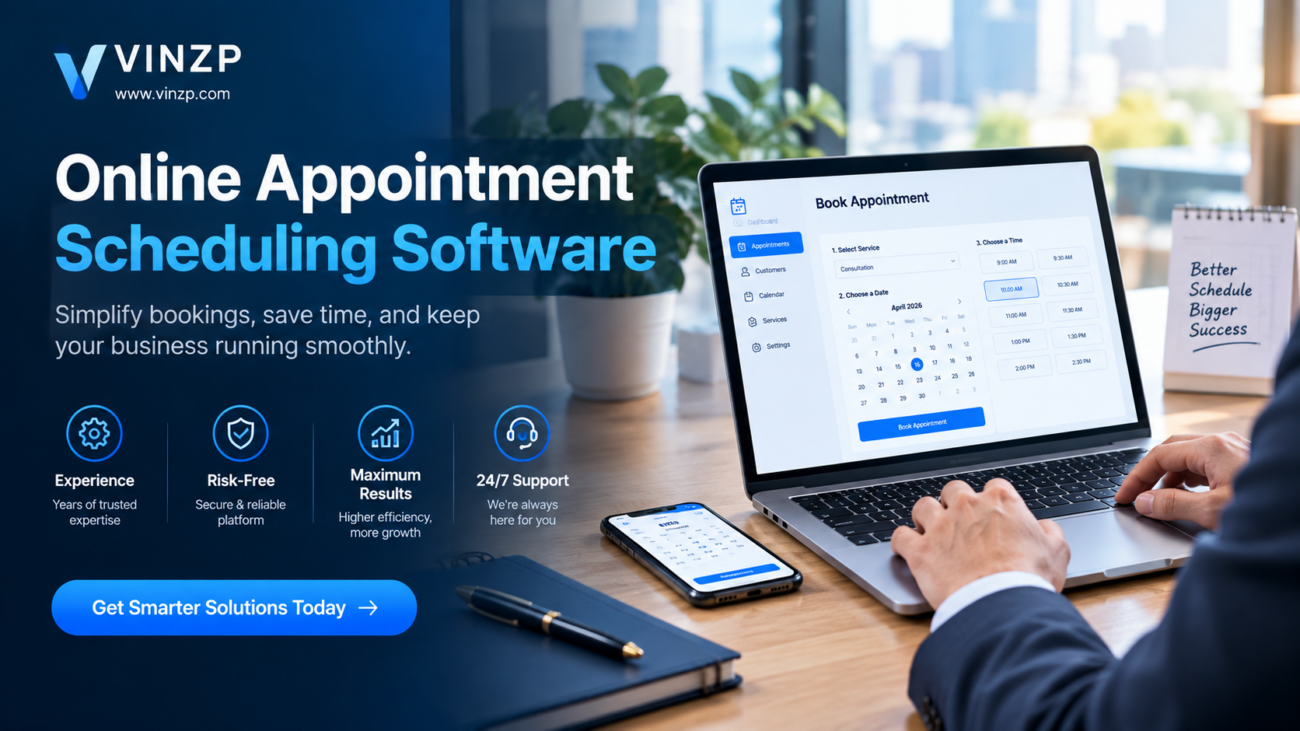
Online Appointment Scheduling Software: 2026 Guide
Managing appointments manually can become difficult as a business grows. Phone calls, emails, social media messages, calendar updates, cancellations, and rescheduling requests can quickly create unnecessary administrative work. For businesses that depend on appointments, an organized digital booking process can make everyday operations much easier. Online appointment scheduling software gives businesses a centralized way to let customers choose available times, receive confirmations, and manage bookings. Depending on the platform, it may also connect with calendars, payment systems, video meetings, customer databases, and automated reminders. This guide explains how appointment scheduling platforms work, which features matter most, how to evaluate pricing and security, and what businesses should consider before choosing a solution.What Is Online Appointment Scheduling Software?
Online appointment scheduling software is a digital system that allows customers or clients to book appointments through an online interface. Instead of relying entirely on staff to coordinate schedules, the system can display available time slots and handle much of the booking process automatically. A typical scheduling workflow may include selecting a service, choosing an employee or provider, viewing available times, entering contact information, confirming the appointment, and receiving a reminder. For businesses, the scheduling dashboard can provide a central view of upcoming appointments, cancellations, customer information, and staff availability. This can be particularly useful for organizations that manage multiple employees, locations, services, or appointment types.Who Can Use Appointment Scheduling Platforms?
Scheduling tools can support a wide range of appointment-based organizations, including:- Medical and wellness practices
- Consultants and professional service providers
- Salons and beauty businesses
- Fitness instructors and personal trainers
- Legal and financial professionals
- Education and tutoring services
- Home service businesses
- Small and medium-sized businesses
- Remote consultants and freelancers
Key Features to Look For
Not every scheduling platform provides the same functionality. A basic booking calendar may be sufficient for an independent professional, while a larger organization may require staff management, multiple locations, automated communications, reporting, and integrations.1. Online Booking Pages
A customer-facing booking page is one of the most important components. It should make it simple for visitors to select a service and available time without needing to contact the business directly. A good booking experience should work well on smartphones, load efficiently, and present availability clearly. Complicated booking forms can create unnecessary friction and may cause customers to abandon the process.2. Calendar Synchronization
Calendar integration helps keep appointments aligned with existing schedules. Depending on the software, businesses may be able to connect commonly used calendar services and automatically update availability. This feature is particularly important for professionals who already manage meetings, personal commitments, and business appointments through digital calendars.3. Automated Reminders
Appointment reminders can help businesses communicate important booking details before a scheduled meeting. Depending on the platform, reminders may be delivered through email, text messages, or other supported communication channels. Businesses should look for customizable reminder timing so they can create a communication schedule appropriate for their customers and services.4. Rescheduling and Cancellation Management
Customers sometimes need to change their appointment. A scheduling system can give them a controlled way to reschedule or cancel rather than requiring staff to manually process every request. Businesses should check whether cancellation windows, booking limits, and rescheduling rules can be customized.5. Staff and Resource Management
Organizations with several employees may need more than a simple calendar. Staff scheduling features can help assign appointments to specific team members while considering working hours and availability. Some businesses may also need to manage rooms, equipment, or other shared resources. In these situations, resource availability can be just as important as employee availability.6. Online Payments
Some appointment-based businesses collect deposits or full payment during booking. Payment functionality can simplify the customer journey and help establish clear booking requirements. Before enabling payments, businesses should review transaction fees, supported payment methods, refund policies, and how payment information is handled.How Online Appointment Scheduling Software Works
The process usually begins when a business creates its services, availability, staff schedules, and booking rules. The system then generates a customer-facing booking interface that can be shared through a website, email, social media profile, or other digital channels. When a customer selects a service, the platform checks the configured availability and presents eligible appointment times. Once the customer completes the required information, the appointment is recorded in the scheduling system. Confirmation messages can then provide the appointment details. If reminders are enabled, the system can send additional notifications before the scheduled time. For businesses with more complex digital operations, scheduling can become part of a broader automation strategy. For example, organizations may connect booking events with customer records, email workflows, payment systems, or workflow automation software to reduce repetitive administrative tasks.Benefits for Businesses
Reduced Administrative Work
Automating routine booking tasks can reduce the amount of time employees spend exchanging messages about available times. Staff can focus more of their attention on customers and other operational responsibilities.24/7 Booking Availability
An online booking page can remain accessible outside normal business hours. Customers do not necessarily need to wait until a business opens to request an appointment.Better Schedule Visibility
A centralized calendar can make it easier to see upcoming appointments and identify scheduling conflicts. This becomes increasingly valuable as a business adds employees or services.More Consistent Customer Communication
Automated confirmations and reminders can create a more consistent communication process. Businesses can also standardize the information customers receive after making a booking.Improved Operational Organization
Digital scheduling can provide a clearer overview of appointments, cancellations, availability, and customer activity. Some platforms also offer reports that can help businesses understand scheduling patterns.Choosing the Right Platform for Your Business
The right solution depends less on the number of features available and more on whether those features match the organization’s actual workflow.| Business Need | Important Capability |
|---|---|
| Solo professional | Simple booking page and calendar integration |
| Small service business | Reminders, payments, customer management |
| Multi-staff organization | Staff schedules and resource management |
| Remote service provider | Video meeting and calendar integrations |
| Growing business | Automation, reporting, integrations, and scalability |
Consider Your Existing Technology
Before purchasing a platform, review the tools your business already uses. If your team relies on accounting software, customer relationship management systems, calendars, email marketing tools, or video conferencing platforms, compatibility can reduce the need for duplicate data entry. For businesses managing distributed employees, appointment scheduling may also need to work alongside project management software for remote teams. Evaluating the broader workflow can prevent a scheduling platform from becoming another isolated system.Pricing and Cost Considerations
Scheduling software can use different pricing structures. Some platforms offer free plans with basic functionality, while others charge monthly or annual subscription fees based on users, features, locations, or appointment volume. Businesses should evaluate the total cost rather than looking only at the advertised subscription price. Potential costs may include:- Monthly or annual subscription fees
- Additional staff or user charges
- Payment processing fees
- Text message or communication charges
- Premium integrations
- Implementation or migration costs
- Advanced reporting or automation features
Security and Privacy Considerations
Appointment systems may store names, contact information, schedules, payment-related information, and other business or customer data. Security should therefore be considered before adopting any platform. Review the provider’s security documentation, privacy policy, data retention practices, access controls, authentication options, and encryption practices. Businesses operating in regulated industries should also determine whether the platform supports the compliance requirements relevant to their operations. Requirements can vary depending on the industry, location, type of information collected, and applicable regulations.Common Mistakes to Avoid
Choosing Features You Do Not Need
A platform with dozens of features is not automatically the right choice. Excessive complexity can make setup and daily management harder. Start by identifying the processes that actually need improvement.Ignoring the Customer Experience
Businesses sometimes focus heavily on administrative features while overlooking the booking experience. Test the customer journey on both desktop and mobile devices before launching.Forgetting About Calendar Conflicts
Incorrect availability settings can lead to double bookings or appointments being offered when staff are unavailable. Carefully configure working hours, buffers, holidays, and blocked periods.Not Reviewing Cancellation Policies
Businesses should establish clear rules for cancellations, late arrivals, deposits, and rescheduling. The scheduling system should support those rules where possible.How to Implement a Scheduling System
Implementation does not have to be complicated. Start with a small, clearly defined workflow.- List the services customers can book.
- Define employee and business availability.
- Set appointment duration and buffer times.
- Configure booking, cancellation, and rescheduling rules.
- Connect relevant calendars and business tools.
- Create confirmation and reminder messages.
- Test the complete customer booking journey.
- Monitor the system after launch and adjust settings as needed.
Frequently Asked Questions
What is online appointment scheduling software?
It is a digital platform that allows businesses to publish availability, accept bookings, manage appointments, send notifications, and organize schedules from a centralized system.Is appointment scheduling software suitable for small businesses?
Yes. Small businesses can use scheduling tools to simplify booking, reminders, calendar management, and customer communication. The appropriate feature set depends on the business workflow.Can customers book appointments outside business hours?
Many platforms provide customer-facing booking pages that remain accessible outside normal operating hours, allowing customers to select available appointments without contacting staff directly.Does scheduling software support online payments?
Some platforms support deposits or online payments during the booking process. Availability and transaction costs vary between providers, so businesses should review payment terms before choosing a platform.What should businesses check before choosing a scheduling platform?
Businesses should evaluate booking features, calendar synchronization, reminders, staff management, integrations, pricing, security, privacy, customer experience, and scalability.Make Appointment Management More Efficient
A well-designed scheduling process can simplify the way businesses handle appointments while giving customers a more convenient way to interact with the organization. The key is choosing technology that fits the actual workflow rather than selecting a platform based only on the number of features it advertises. Before committing to a subscription, map your current booking process, identify repetitive tasks, determine which integrations are essential, and test the customer experience. A practical implementation can help create a more organized scheduling operation without adding unnecessary complexity. If your business is still coordinating appointments manually, this is a good opportunity to review where automation could remove repetitive administrative work and create a smoother booking experience for both staff and customers.Conclusion
Online appointment scheduling software can bring booking, calendars, reminders, customer communication, payments, and staff availability into a more organized digital workflow. The best configuration depends on the organization’s size, services, customers, technology environment, and operational requirements. For businesses evaluating their options in 2026, focus on usability, integrations, security, pricing transparency, and scalability. A solution that fits the existing workflow can provide practical value without making appointment management unnecessarily complicated.📌 Password available in the YouTube video: @Resa Coco — Join the Team Below ✅
⏳ Please wait 60 seconds to unlock access
Incorrect password. Please try again carefully.
💬 Have any tips or feedback? Feel free to share in the comments below!
📢 Support & Community Access
Join our community for guidance, troubleshooting, and the latest updates.
