
AI Document Management Software for Modern Businesses
Businesses create and handle thousands of documents every year, from contracts and invoices to reports, policies, customer records, and internal communications. As document volumes increase, traditional folders and shared drives can become difficult to manage, search, and secure.
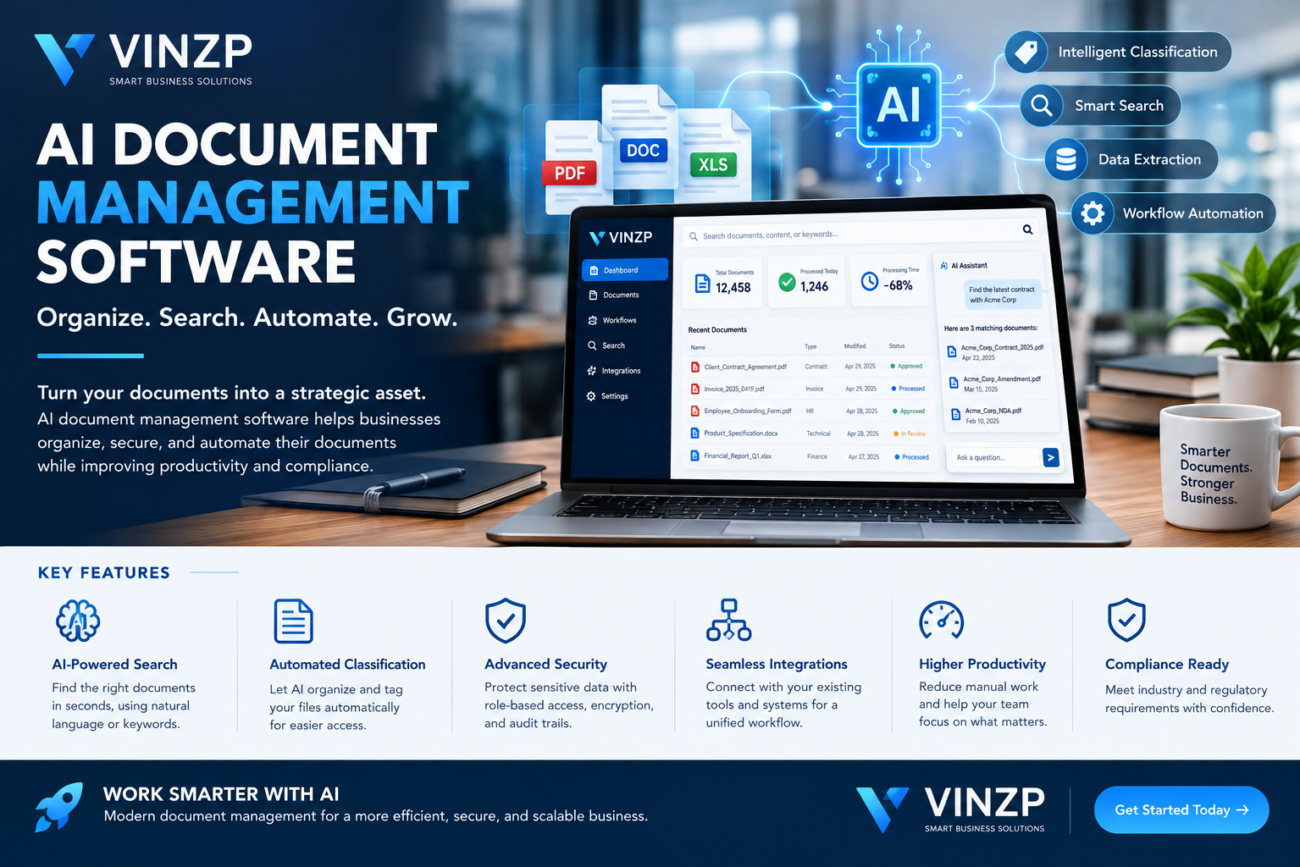
AI document management software provides a smarter approach by combining centralized document storage with artificial intelligence, automated organization, intelligent search, and workflow capabilities. Instead of relying entirely on manual filing, employees can use AI-powered tools to find information, classify documents, extract important data, and streamline repetitive tasks.
For organizations looking to improve productivity while maintaining better control over business information, intelligent document management can become an important part of a modern digital workplace.
What Is AI Document Management Software?
AI document management software is a digital platform designed to store, organize, retrieve, process, and manage business documents with the assistance of artificial intelligence.
Traditional document management systems generally depend on folders, filenames, metadata, and manual organization. AI-enhanced platforms can analyze document content and identify useful information automatically.
Depending on the platform, AI capabilities may include:
- Intelligent document classification
- Semantic search
- Optical character recognition (OCR)
- Automatic metadata extraction
- Contract and information analysis
- Document summarization
- Duplicate detection
- Workflow automation
- Natural-language queries
- Automated document routing
This can make large collections of digital files easier to manage without requiring employees to manually organize every document.
Why Businesses Are Adopting AI-Powered Document Management
Document-related work often consumes more employee time than organizations realize. Staff may spend significant portions of their day searching for files, checking versions, copying information between systems, or requesting documents from colleagues.
AI-powered document platforms can reduce these administrative burdens by automating repetitive processes and making business information easier to access.
1. Faster Information Retrieval
Employees may remember what a document contains without remembering its exact filename or folder location. Intelligent search can allow users to search using concepts, phrases, or questions rather than relying solely on exact filenames.
This is particularly valuable for organizations with large archives containing contracts, financial documents, project files, customer records, and operational documentation.
2. Automated Organization
Manually assigning folders and tags to thousands of files can be inefficient. AI can help identify document types and recommend or automatically apply categories and metadata.
For example, a system may recognize whether an uploaded file is an invoice, contract, purchase order, employee document, or project report and route it accordingly.
3. Better Productivity
When employees spend less time looking for information, they can focus more attention on higher-value work. Automated document workflows can also reduce repetitive administrative tasks.
This productivity benefit can become especially important for organizations where employees regularly process large numbers of documents.
Key Features to Look For
Not every document management platform offers the same capabilities. Businesses should evaluate features based on their document volume, security requirements, workflows, and industry needs.
Intelligent Search
Search is one of the most important features to evaluate. Look for systems that support full-text search, metadata filtering, OCR, and semantic search.
Advanced search capabilities can help employees find relevant information even when they do not know the exact filename.
OCR and Data Extraction
OCR technology converts text from scanned documents and images into machine-readable information. When combined with AI, the platform may also extract specific fields such as invoice numbers, dates, names, addresses, or payment amounts.
This can significantly reduce manual data entry for businesses processing large amounts of paperwork.
Version Control
Document version control helps employees identify the current version of a file and avoid accidentally working with outdated information.
A strong system should provide version history, timestamps, user activity records, and appropriate restoration options.
Access Controls
Business documents can contain confidential financial, legal, customer, or operational information. Role-based access controls can help ensure that employees only access documents appropriate to their responsibilities.
Organizations should also evaluate authentication options, encryption, audit trails, and administrative controls before selecting a platform.
Workflow Automation
Document workflows can involve multiple steps, including review, approval, editing, signing, and archiving. Automation can route documents to the appropriate employee based on predefined rules.
This can reduce bottlenecks and provide greater visibility into the status of important documents.
How AI Can Improve Document Workflows
The biggest advantage of an intelligent document platform is not simply storing files. Its value comes from connecting documents with business processes.
Consider a company that receives hundreds of invoices each month. A traditional process may require employees to download each invoice, rename the file, enter information into a spreadsheet, forward it for approval, and manually archive the final document.
An automated workflow could identify the invoice, extract relevant information, assign metadata, send it to the appropriate approver, and store the approved version automatically.
The same principle can apply to contracts, purchase orders, employee records, customer forms, compliance documentation, and other business records.
Security and Compliance Considerations
Artificial intelligence can make document processing more efficient, but businesses should not overlook security and privacy.
Before adopting a platform, organizations should understand how their documents are stored, processed, encrypted, and accessed.
Important questions include:
- Where is business data stored?
- Who can access confidential documents?
- Is data encrypted during transmission and storage?
- Does the platform provide audit logs?
- How are deleted documents handled?
- Can administrators control user permissions?
- How is AI data processing handled?
- Does the platform support the organization’s regulatory requirements?
Businesses that manage sensitive contracts or intellectual property should establish clear document access policies. Organizations can also review their broader intellectual property legal services for startups when document security intersects with proprietary business information.
AI Document Management Software vs. Traditional File Storage
| Capability | Traditional File Storage | AI-Powered Platform |
|---|---|---|
| File organization | Mostly manual | Can be automated |
| Search | Filename and keyword based | Keyword and semantic search |
| Data extraction | Usually manual | AI-assisted extraction |
| Workflow | Often manual | Automated workflow options |
| Document classification | Manual folders and tags | AI-assisted classification |
| Analytics | Limited | Potentially advanced |
Traditional storage still has an important role for many organizations. However, businesses dealing with large document volumes may benefit from adding intelligent processing and workflow automation.
Choosing the Right Platform for Your Business
The best solution depends on organizational requirements rather than simply the number of AI features available.
Start by identifying the biggest document-related problems within the organization. For example, a company may struggle with duplicate files, slow approvals, poor search capabilities, or inconsistent document organization.
Next, evaluate platforms according to several factors:
- Business size: Choose a solution that can support current operations and future growth.
- Integration: Check compatibility with existing productivity, accounting, CRM, and collaboration tools.
- Security: Review encryption, authentication, permissions, and audit capabilities.
- AI capabilities: Evaluate search, classification, OCR, extraction, and automation features.
- Usability: Employees should be able to learn the system without excessive training.
- Scalability: Consider storage requirements and increasing document volumes.
- Pricing: Compare subscription costs, storage limits, users, automation features, and additional usage charges.
Organizations should also consider how document management connects with financial and administrative processes. Businesses managing complex financial information may benefit from reviewing related tax planning services for high-income earners as part of a broader information-management strategy.
Common Mistakes to Avoid
Implementing new technology does not automatically solve poor document practices. Businesses should avoid several common mistakes.
Ignoring Existing Data
Moving thousands of disorganized files into a new platform without cleaning them first can simply transfer the existing problem.
Overlooking Employee Adoption
A technically advanced system will have limited value if employees find it difficult to use. Training, clear policies, and simple workflows are important for successful adoption.
Focusing Only on AI
Artificial intelligence should support business objectives rather than become the objective itself. Security, reliability, integrations, usability, and governance remain essential.
Future of Intelligent Document Management
Document management is moving toward more automated and context-aware workflows. Future systems are likely to combine document understanding, natural-language interfaces, workflow automation, analytics, and enterprise search more closely.
Instead of simply asking employees to locate a file, intelligent systems may increasingly help users understand information contained across large document collections.
For example, employees could potentially ask questions about a collection of approved documents, identify missing information, summarize lengthy materials, or detect inconsistencies while maintaining organizational access controls.
These capabilities could make document management an increasingly important component of enterprise productivity and digital transformation strategies.
Frequently Asked Questions
What is AI document management software used for?
It is used to store, organize, search, classify, process, and automate workflows involving business documents. AI can assist with tasks such as OCR, information extraction, semantic search, and document classification.
Is AI-powered document management secure?
Security depends on the specific platform and its configuration. Businesses should evaluate encryption, access controls, authentication, audit logs, data retention policies, and AI data-processing practices before adoption.
Can AI organize scanned documents?
Yes. Platforms that combine OCR with AI can convert scanned documents into searchable text and may identify document types or extract important information automatically.
Can small businesses use intelligent document systems?
Yes. Small businesses can benefit when employees spend significant time searching, organizing, approving, or processing documents. Cloud-based solutions can provide scalable options without requiring extensive infrastructure.
How should a business choose a document management platform?
Businesses should compare security, AI capabilities, integrations, workflow automation, usability, scalability, storage, compliance requirements, and total cost. The best platform should solve specific operational problems rather than simply offer the largest number of features.
Conclusion
AI document management software can transform the way organizations handle information by combining centralized storage with intelligent search, automated classification, data extraction, and workflow automation.
For businesses managing growing volumes of digital files, the right platform can reduce administrative work, improve information accessibility, and create more consistent document processes.
The most effective approach is to begin with clear business requirements, evaluate security and governance carefully, and select technology that integrates naturally into existing workflows. As AI capabilities continue to develop, intelligent document management is likely to become an increasingly valuable part of the modern digital workplace.
Build a Smarter Document Workflow
Ready to modernize the way your business stores, searches, and processes documents? Evaluate your current workflow, identify repetitive tasks, and choose an intelligent platform that can scale with your organization.
