
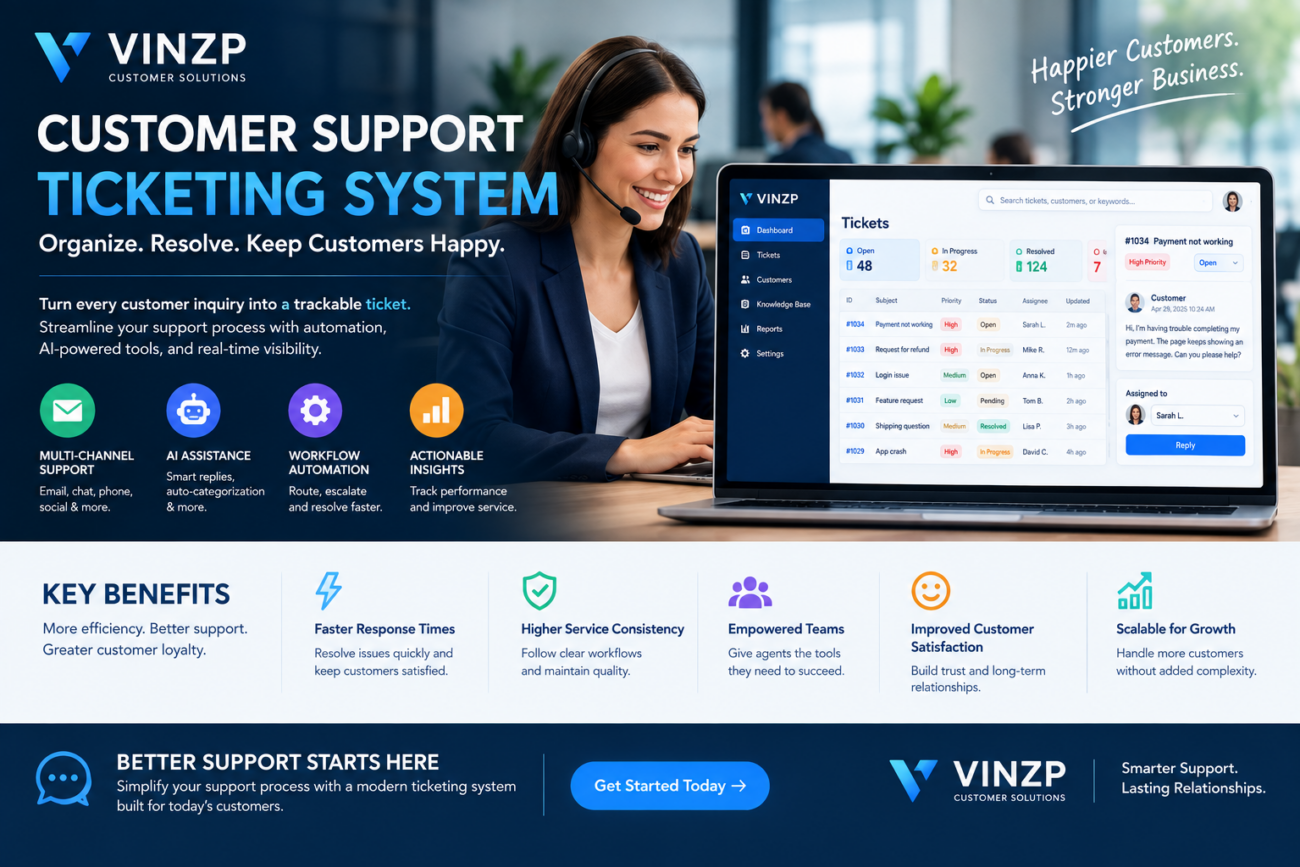
Customer Support Ticketing System for Better Service
Customer service teams often handle dozens, hundreds, or even thousands of customer requests every day. Without a structured process, emails can get lost, urgent issues may be overlooked, and customers may need to repeat the same information multiple times. A customer support ticketing system gives businesses a centralized way to capture, organize, prioritize, assign, and resolve customer inquiries. Instead of managing support conversations across disconnected inboxes and spreadsheets, teams can track each request through a structured workflow. Modern platforms can also include automation, analytics, knowledge bases, artificial intelligence, integrations, and self-service tools. These capabilities can help businesses improve response consistency while giving support managers better visibility into team performance.What Is a Customer Support Ticketing System?
A customer support ticketing system is software that converts customer inquiries or service requests into trackable tickets. Each ticket can contain information such as the customer’s message, contact details, issue category, priority, assigned agent, status, and communication history. Tickets can typically enter the system through multiple channels, including:- Website contact forms
- Live chat
- Social media
- Phone support integrations
- Customer portals
- Messaging applications
Why Businesses Use Customer Support Ticketing Software
Customer expectations have changed significantly. People increasingly expect businesses to provide quick responses, consistent communication, and convenient support across multiple channels. A structured support platform can help organizations manage these expectations without relying entirely on manual processes.Centralized Customer Requests
One of the primary benefits is centralization. Instead of searching through individual email accounts or spreadsheets, agents can access customer requests from a shared workspace. This makes it easier for teams to understand what needs attention and reduces the risk of requests being forgotten.Improved Ticket Prioritization
Not every customer issue has the same level of urgency. Support platforms can classify requests according to priority, customer type, issue category, or predefined business rules. For example, a service outage affecting many customers may require immediate attention, while a general product question could have a lower priority.Better Team Collaboration
Customer problems sometimes require collaboration between support, technical, sales, billing, or operations teams. A ticket-based workflow allows employees to share internal notes, assign tasks, and review the communication history without repeatedly requesting information from other departments.Key Features to Look For
The right platform should match the organization’s support volume, communication channels, security requirements, and operational processes.Multi-Channel Ticket Creation
Customers may contact a business through different channels. A useful platform can consolidate these conversations into a centralized environment while maintaining appropriate context. Businesses should consider whether the system supports the channels their customers actually use rather than selecting a platform based solely on the number of available integrations.Automation and Routing
Automation can reduce repetitive administrative work. Rules can automatically categorize tickets, assign requests to specific teams, send acknowledgments, or escalate unresolved issues. For example, billing-related requests could automatically go to the finance support queue, while technical problems could be routed to a technical support team.Priority and SLA Management
Service-level agreements can define response or resolution targets for different types of customers and requests. A support platform can help teams monitor these targets and identify tickets that are approaching a deadline. This is especially useful for businesses that provide contractual support commitments.Knowledge Base Integration
A knowledge base can reduce the number of repetitive questions handled directly by support agents. Customers can find answers to common problems through articles, guides, troubleshooting instructions, and frequently asked questions. Support agents can also use the same resources when responding to customers, helping maintain consistency.Reporting and Analytics
Support managers need more than a list of open tickets. Reporting tools can reveal patterns in customer requests and team performance. Useful metrics may include:- First response time
- Average resolution time
- Ticket volume
- Open and closed tickets
- Tickets by category
- Customer satisfaction scores
- Agent workload
- SLA compliance
How Automation Improves Customer Service
Manual support processes can become difficult to maintain as ticket volume increases. Automation helps teams handle predictable activities without requiring an employee to perform every step. A typical automated workflow might look like this:- A customer submits a support request.
- The platform creates a ticket automatically.
- The system identifies the issue category.
- The request is assigned to the appropriate team.
- The customer receives an acknowledgment.
- An agent investigates the issue.
- Escalation occurs automatically if the ticket remains unresolved.
- The customer receives a resolution message.
- The ticket is closed and recorded for reporting.
AI and Modern Support Ticketing
Artificial intelligence is becoming increasingly relevant to customer service platforms. AI features can assist agents by summarizing conversations, suggesting responses, identifying ticket categories, detecting sentiment, and finding relevant knowledge-base articles. Some platforms can also use AI-powered assistants to handle simple customer questions before transferring more complex issues to human agents. However, businesses should treat AI as a support capability rather than a replacement for every customer interaction. Sensitive, complex, or unusual cases may still require human judgment.Customer Support Ticketing System vs. Shared Email
| Capability | Shared Email | Ticketing Platform |
|---|---|---|
| Centralized requests | Basic | Structured |
| Ticket assignment | Mostly manual | Automated options |
| Prioritization | Limited | Advanced rules |
| SLA monitoring | Limited | Built-in options |
| Reporting | Basic | Detailed analytics |
| Automation | Limited | Extensive options |
| Knowledge base | Separate | Often integrated |
How to Choose the Right Platform
Businesses should begin by identifying their current support challenges. Technology should solve specific operational problems rather than add unnecessary complexity. Consider these factors when evaluating providers:- Support channels: Determine which communication channels need to be centralized.
- Team size: Make sure the platform supports the number of agents and departments involved.
- Automation: Evaluate routing, notifications, escalation, and workflow capabilities.
- Integrations: Check compatibility with CRM, ecommerce, communication, and business applications.
- Reporting: Look for metrics that align with customer service objectives.
- Security: Review authentication, permissions, encryption, and audit capabilities.
- Scalability: Consider whether the platform can handle future growth.
- Pricing: Compare per-agent fees, automation limits, storage, integrations, and additional usage charges.
Common Implementation Mistakes
Installing support software is only one part of improving customer service. Poor configuration can make a sophisticated platform difficult to use.Too Many Ticket Categories
Complex category structures can confuse both customers and agents. Categories should be meaningful and easy to understand.Ignoring Automation Rules
A platform may offer powerful automation, but businesses often use only basic ticket assignment. Reviewing repetitive support tasks can reveal opportunities for useful automation.Failing to Define Ownership
Every ticket should have clear ownership. Without defined responsibility, employees may assume someone else is handling a request.Measuring the Wrong Metrics
Closing tickets quickly does not necessarily mean customers received excellent service. Businesses should balance speed-related metrics with resolution quality and customer satisfaction.Benefits for Growing Businesses
A structured support operation becomes particularly valuable as a company grows. More customers usually mean more inquiries, more products, and more complex service requirements. A centralized system can provide a foundation for scaling customer service while maintaining visibility into workloads and unresolved issues. It can also create useful historical data. Managers can analyze recurring problems and use those insights to improve products, documentation, onboarding, and internal processes. Over time, customer support data can become a source of operational intelligence rather than simply a record of complaints.Frequently Asked Questions
What does a customer support ticketing system do?
It organizes customer inquiries into trackable tickets so support teams can assign, prioritize, communicate, resolve, and monitor customer requests.Is ticketing software suitable for small businesses?
Yes. Small businesses can benefit when customer inquiries become difficult to manage through individual email accounts or spreadsheets. Many platforms offer scalable plans for smaller teams.Can ticketing software automate customer responses?
Yes. Many platforms support automated acknowledgments, notifications, routing, escalation, and suggested responses. The specific automation capabilities vary by provider.What is an SLA in customer support?
An SLA, or service-level agreement, defines agreed service targets such as response or resolution times. Support platforms can help organizations monitor performance against those targets.Does AI replace customer support agents?
AI can automate repetitive questions and assist agents with tasks such as summarization and response suggestions, but complex or sensitive customer issues may still require human judgment.Conclusion
A customer support ticketing system provides businesses with a structured way to manage customer inquiries, coordinate support teams, automate repetitive workflows, and measure service performance. The right platform can help organizations move beyond fragmented email-based processes toward a more organized and measurable customer service operation. Features such as automation, reporting, knowledge bases, integrations, and AI assistance can further improve efficiency as support volumes grow. Before choosing a solution, businesses should identify their actual support requirements, evaluate security and integrations, and select a platform that employees and customers can use effectively. A well-designed support workflow can ultimately create a better experience for both customers and service teams.Build a More Efficient Support Operation
Ready to improve how your business handles customer requests? Evaluate your current support workflow, identify repetitive tasks, and choose technology that helps your team respond with greater consistency and visibility.📌 Password available in the YouTube video: @Resa Coco — Join the Team Below ✅
⏳ Please wait 60 seconds to unlock access
Incorrect password. Please try again carefully.
💬 Have any tips or feedback? Feel free to share in the comments below!
📢 Support & Community Access
Join our community for guidance, troubleshooting, and the latest updates.
